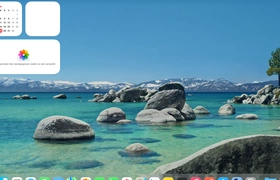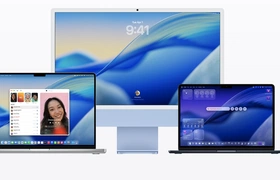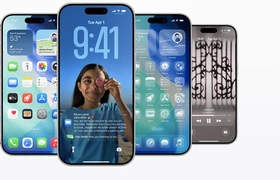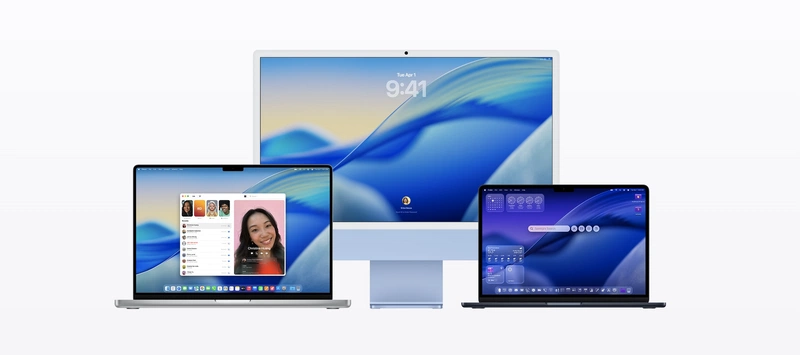
macOS is het besturingssysteem van de Mac. In macOS 26 voegt Apple het vernieuwde Liquid Glass-ontwerp toe. De interface doet denken aan Aqua van Mac OS X en van Aero uit Windows Vista en Windows 7. Zo hebben interface-elementen nu een glas-effect en veel transparantie. Ook hebben vensters nu afgeronde hoeken, is de menubalk doorzichtig en zijn veel iconen in macOS vernieuwd. Je kunt bovendien de iconen van je apps van een kleur voorzien of ze een doorzichtige look geven.
Andere wijzigingen in macOS 26 vinden we in Spotlight, dat onder handen is genomen in deze versie. Launchpad is nu verdwenen uit macOS en vervangen door Spotlight, waar nu een lijst van apps wordt getoond. Ook zijn je apps ingedeeld in een aantal categorieën. Verder kun je ook door je documenten en klembord bladeren en kun je vanuit Spotlight direct acties uitvoeren in veel apps.
Wat is er nieuw?
Apple heeft macOS 26.2 uitgebracht. Dit is alweer de tweede update voor macOS Tahoe. Nieuw in deze versie van macOS is de functie Edge Light, waarmee je een virtuele witte balk over je scherm kunt tonen. Dat is handig voor als je bijvoorbeeld videobelt, je gezicht wordt dan beter zichtbaar. Ook heeft Apple de volumebalk gecentreerd voor apps in volledig scherm. Deze versie dicht ook een reeks beveiligingslekken. Je vindt de volledige changelog, evenals downloadinstructies, hieronder.
Informatie
| Versienummer | 26.2 |
| Releasestatus | Stabiel |
| Platformen | macOS |
| Uitgebracht op | 12-12-2025 |
| Ontwikkelaar | Apple |
| Prijs | Gratis |
Downloadinstructies
Om je Mac te upgraden, voer je de volgende stappen uit. Klik linksboven op het Apple-logo in de menubalk en ga naar Systeeminstellingen. Klik dan op Algemeen en Software-update. Wacht even totdat de update verschijnt en klik dan op de knop om te updaten.
Changelog
macOS Tahoe 26.2 Edge Light
- Edge Light video effect uses the Mac display to illuminate your face like a virtual ring light when you’re on a video call in low light
- Customizable light width and temperature give you control over how you’re lit
- Mouse awareness ensures that the light recedes when you need to access content underneath
- Option to have the light turn on automatically in low light situations on Mac computers introduced in 2024 and later
Podcasts
- Automatically generated chapters make it easier to navigate more episodes
- Links to mentioned podcasts let you see and follow other podcasts mentioned in the episode you’re listening to directly from the player and transcript
Games
- Filters in the Games library let you find games by category, size, and more
- In-game challenge score banners provide real-time updates when someone new has taken the lead
- Connected controller support
This update also includes the following enhancements and bug fixes
- AirDrop codes offer an additional layer of verification when using AirDrop with unknown contacts by providing a code on the receiver’s device that the sender must enter to complete the transfer
- Apple News Section links in the sidebar of the News app offer easy navigation to popular topics like Sports, Politics, Business, and Food
- Tables in Freeform can hold text, images, documents, and drawings, with cells that intelligently resize to fit, bringing structure to the infinite canvas
- Favorite Songs playlist appears in Top Picks in Apple Music
- Fixes an issue where pre-release albums in the library were not immediately playable at their release time
For information on the security content of Apple software updates, please visit: https://support.apple.com/100100